Controller first
Every screen works with a controller alone, including a PS5-style PIN keypad. Great on a TV or Steam Deck.
PS5 & PS4 Remote Play · Windows
PS-WRAP is a free, open-source Remote Play client with a redesigned interface you can use with a controller alone. Overlays, Frame Gen, facecam, recording and Go Live are built in.
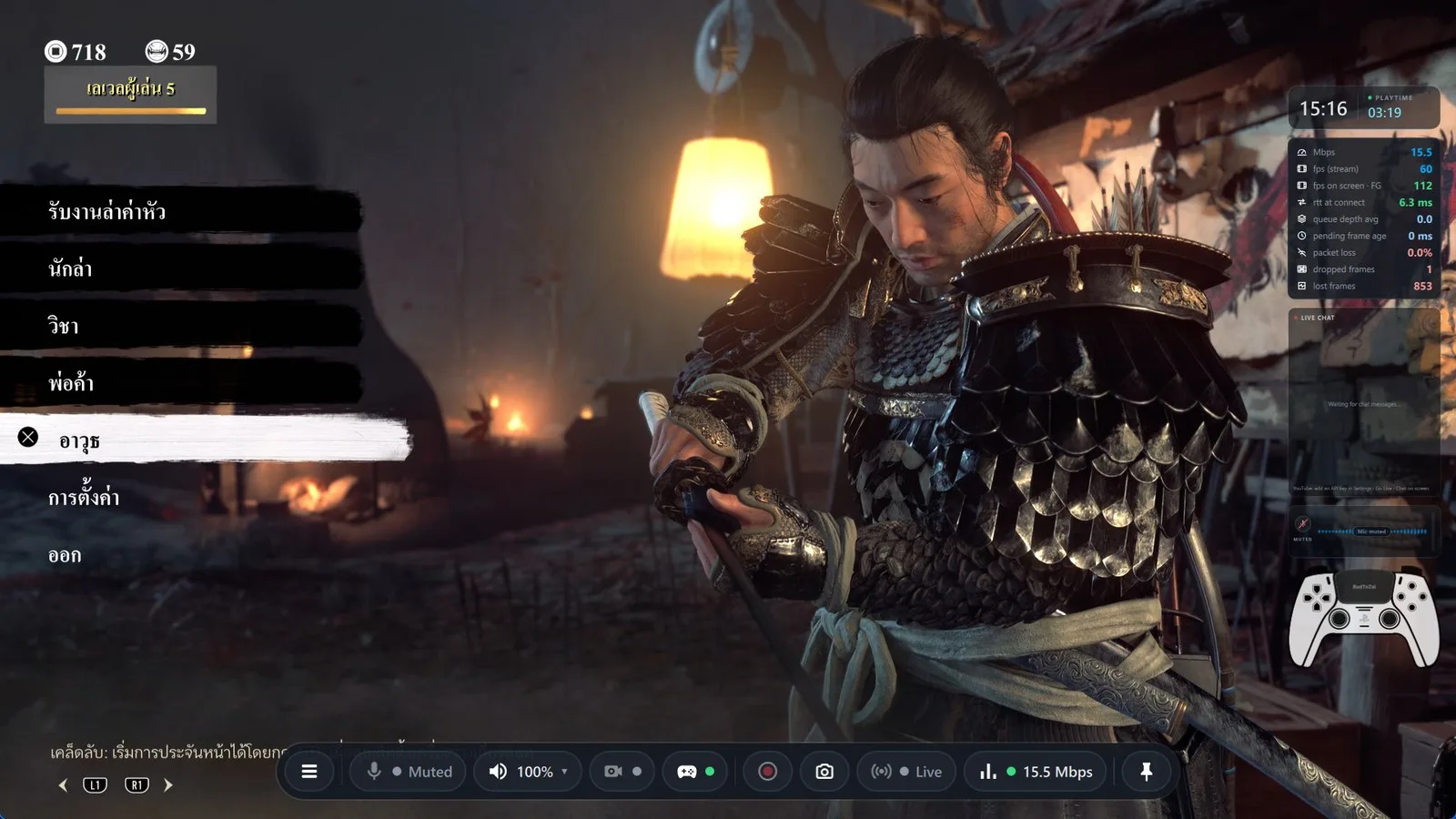
Built on the proven chiaki-ng streaming core, with a new interface and the tools streamers actually use.
Every screen works with a controller alone, including a PS5-style PIN keypad. Great on a TV or Steam Deck.
Live chat (YouTube + Twitch), clock and play time, network stats, mic visualizer, facecam and controller. Drag, resize or stack them.
Frame Gen turns 60 fps into 120 on fast displays. AI upscaling makes 1080p look sharper than the TV next to the console.
Any camera, zoom and circle crop, background removal with AI or chroma key, and 3D face effects that follow your head.
Clips with every overlay (H.264 or HDR HEVC, three audio tracks), Instant Replay, chapter markers and one-button screenshots.
YouTube, Twitch, Facebook, Kick and custom RTMP(S) at the same time, up to 4K, plus vertical 9:16 for Shorts, TikTok and Reels.
RNNoise noise reduction, speaker echo removal, boost and noise gate, with a test page so you hear the result first.
Measures the link and ping to your console, then recommends resolution, frame rate, bitrate and codec, and applies them in one click.
Coming soon
Bring your friends into your game. They open a link in their browser: nothing to install, no account, no console of their own.
Friends watch your game live, with sound, at a very low delay, so they can react while it happens.
Stuck on a boss? Pass the controller. A friend plays from their browser with their own controller, and you take it back with one button.
Stream menu
Press Ctrl+O or L1+R1+L3+R3 for compact cards: picture size, quality presets, Frame Gen, overlays, recording, Instant Replay and Go Live. The D-pad moves to the nearest button, ✕ presses, ◯ closes.
Vertical 9:16
A live vertical window with three layouts. Drag the facecam, the crop, your images and the chat card, then record 1080 × 1920 clips or stream them as a vertical destination.
Home screen
One card per console with its status and a big Play button. Microphone, speaker, camera, controller, recordings and updates sit in the bar at the bottom. Signing in to PSN happens in a window inside the app, so there is no link to copy back.
Click any image to see it full size.
PS-WRAP Beta
Download for WindowsNeeds a PS4 or PS5 with Remote Play turned on and a PSN account. A Vulkan graphics card is recommended; OpenGL works too.
Yes. It is free and open source under the AGPL-3.0 license, the same as chiaki-ng. The full source code is on GitHub.
No. PS-WRAP is an independent project by the BudToZai team, built on chiaki-ng. Please report PS-WRAP problems to us on Discord or GitHub, not to chiaki-ng or Sony.
Yes. Sign in to PSN once and PS-WRAP can connect over the internet. Keep 1080p / 60 fps and set the bitrate to about 20–30 Mbps, because Remote Play uses your home upload speed.
PS-WRAP is Windows only for now. Every screen already works with a controller alone, so it is ready for a TV or handheld PC running Windows.
Run PS-WRAP-Diagnostics.exe from the same folder. It checks your PC, finds where PS-WRAP gets stuck, can switch to OpenGL in one click, and saves a report you can share in the #help forum on Discord.
No accounts, no ads, no analytics. Stream keys are kept in Windows Credential Manager. The details are in the Privacy Policy.
Get help, share clips, hear about new builds first, and tell us what to make next.